Combatting Digital Burnout: 4 Time-Sensitive Solutions
Advertisements
Digital burnout can develop when constant notifications, excessive online meetings, and blurred work boundaries contribute to occupational stress. Discover four practical strategies US professionals can use to manage digital overload and support healthier working routines.
Digital burnout is a growing concern in workplaces where employees spend much of their day connected to email, messaging platforms, and virtual meetings.
Although digital technology supports productivity and collaboration, poorly managed workloads and constant availability expectations can contribute to exhaustion and difficulty concentrating.
This guide explains four practical solutions: digital disconnection, better time management, supportive workplace policies, and personal well-being practices.
Understanding Digital Burnout in the Modern Workplace
Digital burnout describes exhaustion and work-related strain associated with persistent digital demands. It can involve notification overload, excessive meetings, and limited opportunities to disconnect.
Burnout itself is recognized by the World Health Organization as an occupational phenomenon resulting from chronic workplace stress that has not been successfully managed.
Digital overload can contribute to that stress, but it is not the only cause. Workload, organizational expectations, autonomy, and support also influence employee well-being.
How Constant Connectivity Affects Professionals
Smartphones and workplace messaging tools make professional communication more convenient. However, constant availability can interrupt concentration and extend work into personal time.
Employees experiencing digital burnout may struggle to complete demanding tasks when notifications repeatedly interrupt their attention.
Frequent switching between emails, meetings, and projects can create a fragmented workday. Clear communication expectations and uninterrupted focus periods may help.
Notification Overload: Repeated alerts interrupt concentration and task completion.
Unclear Boundaries: After-hours communication can interfere with personal routines.
Screen Fatigue: Extended device use may contribute to eye discomfort and sleep difficulties.
Meeting Overload: Excessive video calls can reduce time available for focused work.
Common Warning Signs of Digital Overload
Signs of workplace exhaustion can include persistent fatigue, difficulty concentrating, irritability, and increasing emotional distance from professional responsibilities.
Someone experiencing digital burnout may also feel pressure to monitor work messages during evenings, weekends, or scheduled breaks.
These symptoms are not exclusive to burnout and can have other causes. Persistent or significant difficulties deserve evaluation by an appropriate healthcare professional.
Solution 1: Establish Practical Digital Detox Protocols
The first approach to managing digital burnout involves setting intentional limits on nonessential digital activity outside important working hours.
A digital detox does not require abandoning technology. Instead, professionals can identify unnecessary notifications and create designated periods without work-related screens.
Effective boundaries should reflect the requirements of the role. Employees with genuine on-call responsibilities may need different arrangements from those with standard schedules.
How to Disconnect Without Disrupting Your Work
Begin by identifying which applications regularly demand attention. Disable alerts that do not require an immediate response when workplace policies allow.
To help reduce digital burnout, establish a realistic end-of-day routine. Close work applications, review urgent responsibilities, and prepare priorities for the following day.
Communicate your normal availability to colleagues. Clear expectations help reduce misunderstandings about message response times and urgent requests.
Disable Unnecessary Alerts: Keep notifications for genuinely important communications.
Schedule Offline Time: Reserve selected periods for meals, hobbies, and personal activities.
Separate Work Accounts: Use available settings to reduce after-hours interruptions.
Agree on Urgent Channels: Establish appropriate procedures for time-sensitive situations.
Create a Realistic End-of-Day Shutdown Routine
A consistent shutdown routine can make the transition between professional duties and personal activities more predictable. It does not need to be complicated.
Professionals concerned about digital burnout can spend a few minutes reviewing unfinished tasks and identifying the next working day's priorities.
Once essential responsibilities are addressed, close work-related applications when permitted. Avoid reopening them unless your role requires scheduled availability.
Solution 2: Improve Time Management and Work Boundaries
Effective time management can help professionals organize digital responsibilities without responding to every message immediately.
For employees dealing with digital burnout, the objective is to reduce unnecessary interruptions while maintaining realistic expectations about workloads.
Personal scheduling methods have limitations when demands exceed available working hours. Managers may also need to adjust priorities and staffing.
Use Time Blocking to Protect Focus
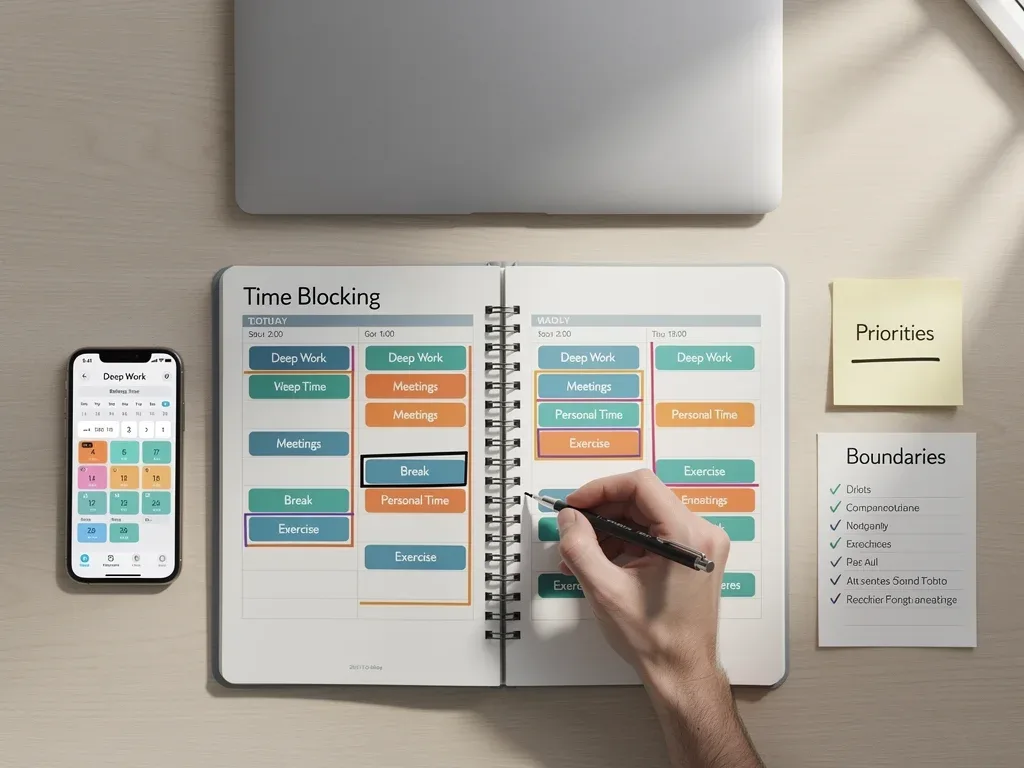
Time blocking involves reserving specific periods for different activities. Professionals may schedule focused work, meetings, administrative tasks, and breaks separately.
This technique can help manage digital burnout by creating predictable intervals during which nonurgent messages do not interrupt demanding assignments.
Begin with one or two manageable focus periods rather than restructuring an entire calendar. Coordinate availability with colleagues when necessary.
Focused Work: Reserve uninterrupted time for important assignments.
Email Windows: Review nonurgent messages during designated periods.
Meeting Preparation: Allow sufficient time before and after scheduled calls.
Recovery Breaks: Include opportunities to move away from screens.
Reduce Unnecessary Meetings and Context Switching
Meetings can support coordination, but excessive scheduling may leave little time for concentrated work. Not every update requires a live video call.
To address digital burnout, teams can evaluate whether certain discussions would work better through concise written updates or shared documents.
When meetings are necessary, clear agendas and defined outcomes can improve efficiency. Protecting time between calls may also reduce continuous digital demands.
Set Clear Expectations Around Response Times
Workplace messaging systems can create uncertainty when employees do not know how quickly they must respond. Establishing expectations can reduce this pressure.
A practical response to digital burnout is to distinguish urgent issues from routine communication. Different categories may require different channels.
Managers should clarify availability requirements and escalation procedures. Employees should not be expected to solve unrealistic workload demands through personal scheduling alone.
Solution 3: Build a Supportive Workplace Culture
Reducing digital burnout requires more than individual habits. Organizational policies and leadership practices influence how employees experience digital demands.
Teams may struggle to maintain healthy boundaries when performance expectations reward constant availability or excessive working hours.
Organizations can address these problems by evaluating workloads, communication rules, meeting practices, and access to employee support resources.
Leadership's Role in Promoting Digital Wellness
Leaders influence workplace expectations through their daily behavior. When managers respect agreed working hours, employees may feel more comfortable maintaining boundaries.
To address digital burnout, organizations can establish clear procedures for urgent communication and discourage unnecessary messages outside scheduled hours.
Managers should also evaluate whether assigned workloads are realistic. Effective digital wellness policies require practical support rather than statements alone.
Model Healthy Boundaries: Respect working hours and scheduled time off.
Clarify Communication Rules: Define appropriate response times and urgent channels.
Review Workloads: Identify unreasonable demands and persistent overload.
Encourage Breaks: Make recovery time compatible with operational expectations.
Make Digital Workload Reviews Part of Team Management
Organizations can review recurring meetings, message volumes, and conflicting deadlines to identify sources of unnecessary pressure.
When employees report digital burnout, managers should consider whether operational changes are needed rather than relying only on individual resilience training.
Regular conversations about workload and priorities can reveal problems early. Employees should have appropriate ways to raise concerns without fear of retaliation.
Offer Accessible Employee Support Resources
Workplaces may provide employee assistance programs, counseling access, occupational health guidance, and educational resources about stress management.
These services can support people experiencing digital burnout, particularly when exhaustion affects their daily functioning or emotional well-being.
However, wellness benefits cannot replace reasonable workloads and safe working conditions. Individual support and organizational improvements should work together.
Solution 4: Prioritize Mental and Physical Well-Being
Personal well-being practices can complement workplace changes by supporting recovery outside demanding professional activities.
For individuals facing digital burnout, adequate rest, physical activity, and meaningful nonwork experiences may help manage everyday stress.
These habits cannot resolve every workplace problem. If symptoms persist, additional medical or mental health support may be appropriate.
Use Physical Activity to Break Up Screen Time
Long periods of desk work can limit movement during the day. Brief opportunities to stand, stretch, or walk may improve physical comfort.
People experiencing digital burnout can incorporate manageable movement breaks between demanding tasks when their schedule permits.
Regular physical activity offers broader health benefits, although its effects vary. Choose activities appropriate for your abilities and health circumstances.
Short Walks: Move away from the desk during available breaks.
Gentle Stretching: Reduce prolonged periods in the same position.
Outdoor Activities: Consider spending time outside after work.
Consistent Movement: Choose activities you can maintain comfortably.
Practice Mindfulness and Mental Recovery
Mindfulness practices involve directing attention toward the present moment. Some individuals find breathing exercises and meditation useful for managing stress.
For digital burnout, these approaches may provide opportunities to step away from notifications and reflect on emotional or physical tension.
Beginners can explore introductory meditation practices without expecting immediate or guaranteed improvements. Different techniques suit different people.
Protect Sleep and Personal Recovery Time
Sleep is important for physical health, concentration, and emotional functioning. Irregular schedules and late-night work can interfere with adequate rest.
When managing digital burnout, establishing consistent sleep routines and reducing avoidable workplace interruptions may support recovery.
Other self-care practices can complement healthy routines. Persistent sleep difficulties should be discussed with a qualified professional.
How to Start Reducing Digital Burnout This Week
Managing digital burnout becomes more approachable when changes are specific and realistic. Trying to overhaul every habit simultaneously may be difficult to sustain.
Begin by identifying the most disruptive part of your digital routine. This could involve excessive notifications, after-hours messages, or an overloaded meeting calendar.
Choose one practical adjustment and review whether it improves your daily experience. If the underlying problem is an excessive workload, involve the appropriate manager.
A Simple Five-Day Action Plan
A short action plan can help translate general advice into manageable activities. The following example focuses on work habits rather than promising a medical outcome.
For professionals concerned about digital burnout, each day introduces one adjustment. Continue only the strategies that are compatible with job responsibilities.
The goal is to identify useful changes and initiate conversations when needed. Five days is not an established recovery period for burnout.
Monday: Review notifications and disable unnecessary alerts.
Tuesday: Reserve a manageable block for focused work.
Wednesday: Evaluate whether one recurring meeting can be shortened or replaced.
Thursday: Discuss availability and response-time expectations with your team.
Friday: Review your workload and establish a realistic end-of-day routine.
Know When to Seek Additional Help

Persistent exhaustion, sleep difficulties, or reduced functioning may have several possible causes. Self-management strategies are not substitutes for assessment.
Someone concerned about digital burnout should consider speaking with a healthcare professional when symptoms continue, worsen, or interfere significantly with daily life.
Workplace support may also be necessary when demands are unreasonable. A qualified professional can help evaluate symptoms and appropriate next steps.
Conclusion
Addressing digital burnout requires a practical combination of personal boundaries and organizational responsibility. The four solutions provide starting points for change.
Intentional disconnection, focused scheduling, supportive leadership, and well-being practices may help reduce unnecessary digital pressure.
However, meaningful improvements depend on individual circumstances and workplace conditions. Sustainable work habits require both realistic expectations and appropriate support.
Key Solution | Brief Strategy |
|---|---|
Digital Detox Protocols | Limit unnecessary alerts and establish realistic periods of disconnection. |
Time Management & Boundaries | Use focus blocks, reduce interruptions, and clarify response expectations. |
Supportive Workplace Culture | Review workloads and establish healthier team communication practices. |
Mental & Physical Well-being | Protect rest, incorporate movement, and seek support when necessary. |
Frequently Asked Questions About Digital Burnout
What are the primary symptoms of digital burnout?▼
Possible signs include persistent exhaustion, irritability, difficulty concentrating, and reduced engagement with work. Digital overload may also contribute to headaches or sleep disturbances. These symptoms can have other causes and do not establish a diagnosis.
How quickly can these solutions show results?▼
There is no guaranteed improvement timeline. Some people may notice reduced interruptions after adjusting notifications or work schedules, while recovery from significant occupational burnout can require broader changes and professional support.
Can employers genuinely support these initiatives?▼
Yes. Employers can review workloads, establish communication expectations, support appropriate breaks, and provide access to relevant resources. Leadership behavior and organizational policies are important because workplace stress cannot always be solved through individual habits.
Is digital burnout different from general workplace burnout?▼
Digital burnout is an informal term describing work-related exhaustion associated with persistent digital demands. Burnout itself is an occupational phenomenon linked to chronic workplace stress, which may have digital and nondigital causes.
What if these solutions aren't enough for me?▼
If exhaustion or other symptoms persist, worsen, or interfere with everyday functioning, consult a healthcare or mental health professional. Consider discussing workload concerns with an appropriate workplace representative and seeking available employee support resources.
Looking Ahead
Reducing digital burnout remains relevant as digital communication continues to shape professional life. Effective solutions should address both individual experiences and workplace expectations.
Organizations can evaluate how technology affects employee workloads, meeting schedules, and availability. Professionals can identify practical boundaries that suit their responsibilities.
Building sustainable digital routines requires ongoing adjustments rather than a single quick fix. The objective is to make technology support effective work without creating unnecessary demands.