The 20-20-20 Rule: Reduce Screen Fatigue by 40% Daily
Advertisements
The 20-20-20 rule is a simple screen-break habit that encourages looking at something 20 feet away for 20 seconds every 20 minutes. It may help manage digital eye discomfort, although scientific evidence does not establish a guaranteed 40% reduction in screen fatigue.
The 20-20-20 rule offers a practical approach to managing visual discomfort during long periods of computer, smartphone, and tablet use.
As digital devices remain part of everyday work, education, and entertainment, many people experience dry eyes, blurred vision, and difficulty maintaining comfortable focus.
This guide explains how the 20-20-20 rule works, what research actually shows, and how to combine screen breaks with healthier digital habits.
Understanding the 20-20-20 Rule for Eye Relief
The 20-20-20 rule encourages people to pause every 20 minutes and look at an object approximately 20 feet away for at least 20 seconds.
The practice is recommended by organizations such as the American Optometric Association as a simple strategy for managing digital eye strain.
Although the rule is easy to remember, its effectiveness varies between individuals and should not be described as a guaranteed treatment.
How the 20-20-20 Rule Works
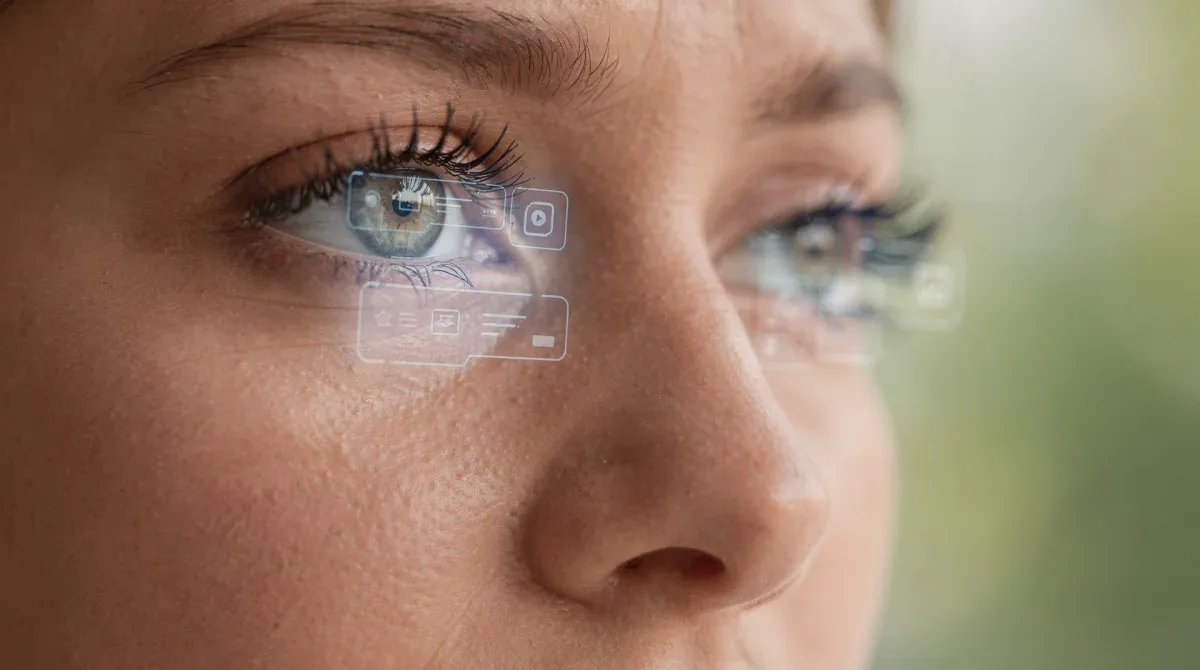
Looking at nearby screens requires the eyes to maintain focus at relatively short distances for extended periods.
Shifting attention toward a distant object changes the focusing demand and interrupts continuous close-up visual activity.
The 20-20-20 rule creates a convenient reminder to make this transition regularly throughout the day.
Why the Numbers Matter
The three numbers represent the break frequency, viewing distance, and minimum duration of each visual pause.
Twenty feet is approximately six meters, making a distant window view or object across a large room suitable for the exercise.
These numbers function as an easy-to-follow guideline rather than a scientifically established threshold that works identically for everyone.
The Science Behind Digital Eye Strain
Digital eye strain describes a collection of symptoms associated with prolonged use of computers and other electronic screens.
Common contributing factors include reduced blinking, glare, unsuitable viewing distances, and uncorrected vision problems.
The 20-20-20 rule addresses prolonged near-focused activity, but other adjustments may be necessary to improve comfort.
How Screen Use Affects Eye Focusing
When viewing nearby objects, the visual system changes the eye's focusing power to maintain a clear image.
Extended periods of close work can contribute to temporary discomfort, especially when the viewing environment is poorly arranged.
Looking into the distance allows a change in visual demand, although this does not mean that ordinary screen use permanently damages the eye muscles.
Why Blinking Matters
People may blink less frequently or less completely when concentrating on digital screens.
Reduced blinking can contribute to tear film instability and sensations of dryness, irritation, or burning.
Consciously blinking normally during breaks may complement the 20-20-20 rule for people who experience dry-eye symptoms.
Recognizing Common Symptoms of Screen Fatigue
Digital eye discomfort can appear in several ways and may become more noticeable after prolonged screen-based activities.
Symptoms can involve the eyes themselves, the ability to focus comfortably, or muscle discomfort associated with posture.
Recognizing these problems can help individuals make appropriate adjustments or seek professional evaluation when needed.
Dry Eyes and Irritation
Dryness, burning, watering, and a gritty sensation are frequently associated with prolonged screen viewing.
These symptoms may be influenced by blinking patterns, contact lens use, indoor air quality, and existing eye conditions.
Screen breaks may provide an opportunity to blink normally, but persistent dryness can require additional treatment.
Blurred Vision and Headaches
Some people experience temporary blurring after focusing on nearby screens for extended periods.
Headaches may also occur when viewing conditions are uncomfortable or when prescription lenses do not meet visual needs.
The 20-20-20 rule can be part of a broader comfort strategy, but recurring symptoms should not be ignored.
Neck and Shoulder Discomfort
Screen-related discomfort may involve the neck, shoulders, and upper back because of sustained or awkward working positions.
Monitor height, seating arrangement, and the location of keyboards or other devices can influence posture.
Short visual pauses alone cannot correct unsuitable workstation ergonomics, so physical adjustments may also be necessary.
Can the 20-20-20 Rule Reduce Eye Fatigue by 40%?
The original article claimed that the 20-20-20 rule produces a consistent 40% reduction in daily screen fatigue.
However, the available research does not establish this specific percentage as a reliable outcome for the general population.
The rule remains a commonly recommended habit, but its benefits should be discussed without promising a fixed numerical improvement.
What Clinical Research Shows
A study involving 29 symptomatic computer users found improvements in reported digital eye strain and dry-eye symptoms after using 20-20-20 reminders.
Those improvements were not maintained one week after participants discontinued the reminders, and several measured eye functions did not change.
The findings suggest potential symptom relief during regular practice, although the study was relatively small and did not establish a universal percentage.
Why Other Studies Found Different Results
Another study involving 30 young participants compared short breaks taken at different intervals during a demanding tablet-reading task.
Researchers did not find a significant difference in symptoms, reading speed, or task accuracy between the tested break schedules.
These mixed findings indicate that more research is needed before claiming that the 20-20-20 rule reliably produces a particular improvement.
How to Apply the 20-20-20 Rule Every Day
Introducing the 20-20-20 rule into a daily routine does not require expensive equipment or complicated software.
It primarily involves remembering to interrupt continuous close-up viewing and briefly focus on something farther away.
People can adapt reminders to their schedules while paying attention to their individual comfort and visual needs.
Setting Up Your First Screen Break
Choose a distant object that can be viewed comfortably from your desk or regular working position.
After approximately 20 minutes of screen use, shift your gaze toward that object and maintain the distant view for about 20 seconds.
Then return to your activity, repeating the process when practical throughout the day.
Using Timers and Reminders
Digital reminders, calendar notifications, or simple timers can help people remember regular visual breaks.
Some users prefer browser extensions or operating-system notifications that appear at selected intervals.
Choose a reminder method that supports the 20-20-20 rule without creating unnecessary interruptions or stress.
What to Do if You Forget a Break
Missing a scheduled pause does not mean the entire routine has failed or that immediate eye damage has occurred.
Simply look away from the screen when you remember and resume your usual schedule afterward.
Consistency may help establish a comfortable habit, but rigid timing should not become another source of pressure.
Improving Screen Comfort Beyond Short Breaks
The 20-20-20 rule is only one component of managing digital eye discomfort during work or leisure.
Environmental lighting, screen position, appropriate prescription lenses, and blinking behavior can also affect symptoms.
Combining several practical adjustments may be more useful than relying exclusively on a single routine.
Adjusting Screen Distance
The American Academy of Ophthalmology recommends positioning a computer monitor approximately an arm's length away when practical.
A commonly suggested distance is around 25 inches, although individual needs and screen sizes may vary.
Text should remain comfortably readable without requiring excessive leaning, squinting, or awkward positioning.
Choosing Comfortable Screen Height
Position the display so the eyes look slightly downward toward the screen rather than constantly looking upward.
This arrangement may support a more comfortable viewing posture and reduce unnecessary visual or neck strain.
Adjust the monitor and seating together to avoid creating discomfort in another part of the body.
Managing Glare and Brightness
Reflections from windows and overhead lighting can make screen content more difficult to view comfortably.
Adjusting room lighting, screen brightness, and contrast may reduce unnecessary visual effort.
When appropriate, a matte screen filter or repositioned monitor can help manage persistent reflections.
Understanding Screen Fatigue and Mental Tiredness
Screen-based activities can involve sustained attention, complex decision-making, and frequent interruptions from digital notifications.
These demands may contribute to feelings of mental tiredness, although they are distinct from the physical mechanisms of digital eye strain.
The 20-20-20 rule provides a brief interruption, but strong claims about improved cognition require separate evidence.
Why Mental Breaks May Feel Helpful
Taking a short pause can create an opportunity to disengage momentarily from demanding work or study activities.
Some people find that brief interruptions make their routines feel more manageable, especially during extended periods of concentration.
However, twenty seconds of distant viewing should not be treated as a proven method for improving memory, creativity, or decision-making.
Supporting Emotional Balance During Screen Use
Digital routines may become overwhelming when they include constant messages, demanding assignments, and insufficient personal breaks.
Developing realistic boundaries around notifications and screen activities can support a more comfortable daily schedule.
Additional ideas are available in this guide to emotional balance habits.
Using the 20-20-20 Rule at Work
Many office workers spend substantial portions of their day reading documents, communicating online, and attending virtual meetings.
These activities can involve long periods of continuous near-focused viewing, particularly when working across multiple screens.
The 20-20-20 rule offers a simple reminder to interrupt those periods when work conditions allow.
Creating a More Comfortable Workspace
Organize your desk so frequently used screens and equipment remain within comfortable viewing and reaching distances.
Adjust lighting and seating to reduce awkward postures and unnecessary visual effort.
Encourage regular movement in addition to eye breaks because physical discomfort may require changes beyond visual focus.
Managing Long Virtual Meetings
Video meetings can require extended attention to screens, shared documents, and participant video feeds.
When appropriate, briefly looking away from the display may provide a pause without disrupting participation.
Longer scheduled breaks between meetings can also support hydration, movement, and a more comfortable working routine.
Applying the Rule During Online Learning
Students frequently use laptops, tablets, and smartphones for assignments, digital textbooks, and virtual classrooms.
Continuous screen activities can create discomfort when lighting, posture, viewing distance, or prescription needs are not addressed.
Teaching the 20-20-20 rule can introduce a practical reminder to vary visual focus during extended close work.
Helping Students Remember Eye Breaks
Teachers and caregivers can explain the rule using the simple sequence of twenty minutes, twenty feet, and twenty seconds.
Regular reminders may encourage students to recognize when they have been staring at nearby screens for long periods.
Other healthy habits, including outdoor activities and age-appropriate screen routines, remain important alongside visual breaks.
Building Healthy Learning Habits
Students may benefit from comfortable reading positions, suitable lighting, and regular opportunities to change physical activity.
Screen-based lessons should also consider accessibility needs and the possibility of uncorrected vision problems.
More general ideas for personal well-being are available in this self-care guide.
How to Use the Rule With Smartphones
Smartphones often require a shorter viewing distance than desktop monitors because of their compact screens.
Small text, extended scrolling, and awkward head positions may contribute to discomfort during prolonged use.
The 20-20-20 rule can be adapted to smartphone activities by regularly looking away toward a distant object.
Reducing Discomfort During Phone Use
Adjust text size when necessary and avoid holding the phone so close that reading becomes uncomfortable.
Take breaks from continuous scrolling and change posture when using the device for extended periods.
If persistent visual discomfort occurs, consider whether a professional vision assessment is appropriate.
The Role of Blinking and Dry-Eye Prevention
Digital eye discomfort often involves dry-eye symptoms, particularly when screen concentration reduces blinking frequency.
Insufficient or incomplete blinking can affect the tear film that helps maintain a comfortable eye surface.
The 20-20-20 rule may offer opportunities to blink more naturally, but additional management may be necessary.
Simple Habits for Comfortable Eyes
Remember to blink normally during screen activities rather than maintaining an unbroken stare at the display.
Avoid placing air-conditioning vents or fans where airflow blows directly toward the eyes.
People experiencing persistent dryness can discuss appropriate lubricating eye drops or other treatment options with an eye-care professional.
Contact Lenses and Digital Screens
Contact lens wearers may notice additional dryness during extended computer use because of changes in blinking and tear film comfort.
Using appropriate lenses, following hygiene instructions, and taking breaks can support more comfortable wear.
If discomfort persists, an eye-care professional can evaluate whether adjustments to lenses or wearing habits are needed.
Do Blue-Light Glasses Prevent Digital Eye Strain?
Blue-light filtering glasses are often promoted as a solution for screen-related discomfort and tiredness.
However, the American Academy of Ophthalmology does not recommend special blue-light blocking glasses solely to prevent digital eye strain.
Focusing on appropriate viewing conditions and habits may provide a more useful starting point for managing discomfort.
Understanding Blue Light and Screen Exposure
Digital screens emit visible light, including blue wavelengths, but ordinary screen exposure has not been shown to cause permanent eye disease.
Discomfort from prolonged screen use is more closely associated with factors such as blinking behavior and visual demands.
The 20-20-20 rule addresses viewing habits without requiring specialized eyewear purchases.
Can the 20-20-20 Rule Prevent Long-Term Eye Damage?
The 20-20-20 rule is intended to support comfort during extended periods of screen use.
Current evidence does not establish that the rule prevents permanent structural eye damage or guarantees protection against future eye diseases.
Ordinary screen use can cause temporary discomfort, but that should not be confused with proof of irreversible eye injury.
Understanding Temporary Visual Discomfort
Many symptoms associated with digital eye strain improve after stopping the activity or adjusting the viewing environment.
However, continued symptoms can also be associated with dry-eye disease or uncorrected vision problems.
Regular eye examinations and appropriate professional advice remain important when discomfort becomes persistent.
When to Contact an Eye-Care Professional
Seek evaluation if blurred vision, eye pain, redness, or other symptoms continue despite reasonable adjustments to screen habits.
Sudden vision loss, severe eye pain, or new concerning visual symptoms require prompt medical attention rather than another screen break.
The rule is a general comfort practice and should never replace diagnosis or treatment of an underlying condition.
Creating a Balanced Digital Wellness Routine
Healthy screen habits involve more than looking away at regular intervals throughout the day.
People may also benefit from managing notifications, creating screen-free periods, and arranging time for movement or rest.
Integrating the 20-20-20 rule into a wider routine allows visual comfort to become part of everyday digital awareness.
Combining Breaks With Other Activities
A short pause can be an opportunity to change posture, relax the shoulders, or briefly focus on something outside the workspace.
Longer breaks may be appropriate after extended periods of uninterrupted work, depending on individual needs and responsibilities.
For additional ideas, explore these digital well-being habits.
Affordable Ways to Support Self-Care
Screen-break habits do not require subscriptions or expensive products because they can be practiced with ordinary reminders.
Simple workspace adjustments and regular movement may be practical starting points for improving daily comfort.
Additional routines are discussed in this guide to budget-friendly self-care.
Common Challenges When Following the Rule

People may find it difficult to remember breaks while completing demanding work, studying, or watching entertainment.
Other challenges include limited access to distant views, frequent meetings, and inconsistent daily schedules.
The 20-20-20 rule is easier to maintain when it remains flexible and realistic rather than an inflexible obligation.
Finding a Suitable Distant Object
A window view can provide an easy way to focus on an object several meters away from the screen.
When outdoor views are unavailable, a distant object within a sufficiently large indoor space may also be useful.
The objective is to interrupt continuous near viewing, not to create discomfort while searching for an exact measurement.
Building the Habit Gradually
Begin by connecting a visual pause with an existing routine, such as completing a task or checking the time.
Use reminders when helpful and adjust them if notifications become distracting or interfere with essential activities.
Consistency may become easier as the practice becomes familiar, even if some breaks are occasionally missed.
Integrating Screen Breaks Into Morning Routines
Many people begin their day by checking messages, reading online information, or opening work applications.
Introducing reasonable screen habits early can support awareness of viewing conditions throughout the rest of the day.
The 20-20-20 rule can be one component of a broader morning routine that includes movement and appropriate rest.
Starting the Day With Healthy Habits
Arrange your workspace before beginning long periods of screen activity and check whether the lighting is comfortable.
Plan opportunities for visual pauses and movement instead of remaining in one position for the entire morning.
Other routine ideas are available in these morning wellness habits.
Tracking Screen Comfort Over Time
Individuals who experience frequent screen discomfort may find it useful to observe when symptoms occur and what seems to influence them.
Recording working conditions, break habits, and the timing of symptoms can help identify patterns worth discussing with a professional.
However, personal observations cannot establish that the 20-20-20 rule causes a particular percentage reduction in discomfort.
Creating a Simple Comfort Log
Record approximate screen-use periods and any symptoms such as dryness, headache, or blurred vision.
Include relevant factors such as contact lens use, lighting, sleep, and whether breaks were taken.
Reviewing this information over time may help identify situations that consistently feel uncomfortable.
Measuring Improvement Realistically
Consider whether discomfort occurs less frequently, becomes less intense, or improves after adjusting the working environment.
Remember that changes can also be influenced by medication, vision correction, workload, and other health-related factors.
Persistent or worsening symptoms warrant professional evaluation rather than relying exclusively on self-monitoring.
Frequently Asked Questions About the 20-20-20 Rule
Before reviewing the common questions, remember that the 20-20-20 rule is a practical visual break recommendation rather than a guaranteed medical treatment.
Professional organizations recommend it as part of managing screen comfort, although research findings are not entirely consistent.
The following answers address the main questions about applying the rule and understanding its limitations.
What exactly is the 20-20-20 rule?
It recommends looking at an object approximately 20 feet away for at least 20 seconds after every 20 minutes of near screen viewing. It is intended to encourage regular visual breaks.
Does the 20-20-20 rule reduce screen fatigue by 40%?
No reliable evidence establishes a universal 40% reduction. Some research has reported improvements in symptoms, while other studies have not found significant differences with scheduled breaks.
Why should I look 20 feet away?
Looking into the distance changes the focusing demand compared with viewing nearby screens. Twenty feet, approximately six meters, is a convenient guideline rather than a guaranteed therapeutic threshold.
How long should each break last?
The traditional recommendation is at least 20 seconds. Individuals may also take longer breaks when practical or when additional rest is needed.
Can the 20-20-20 rule prevent permanent eye damage?
There is no established evidence that the rule prevents permanent structural eye damage. Ordinary screen use commonly causes temporary discomfort rather than irreversible eye injury.
Does the rule help with dry eyes?
It may help some individuals manage symptoms, especially when breaks encourage more natural blinking. Persistent dryness may require professional assessment and additional treatment.
Can I use the rule while working on a smartphone?
Yes. The same reminder can be applied to smartphones, tablets, laptops, and other screens that require prolonged near viewing.
What if I cannot find an object exactly 20 feet away?
Choose a comfortably distant object when possible. The main purpose is to vary visual focus and interrupt continuous close-up viewing.
Will the 20-20-20 rule improve my productivity?
Short pauses may feel helpful, but there is insufficient evidence to guarantee improved productivity, concentration, memory, or creativity specifically from this rule.
Do blue-light glasses replace visual breaks?
No. Special blue-light filtering glasses are not established as necessary for preventing digital eye strain. Comfortable viewing conditions and appropriate eye care remain important.
Should children follow the 20-20-20 rule?
Regular breaks from prolonged near-screen activities can be a reasonable habit for children. Their broader eye-health needs should also consider outdoor time and professional guidance when appropriate.
Are reminders necessary?
Not necessarily. Timers and notifications are optional tools that may help people remember to interrupt long periods of screen viewing.
When should I consult an eye doctor?
Seek professional evaluation for persistent eye discomfort, recurring blurred vision, or other concerning symptoms. Sudden vision changes or severe pain require prompt assessment.
Conclusion: A Practical Approach to Digital Eye Comfort
The 20-20-20 rule provides a simple way to encourage regular visual breaks during extended periods of screen use.
Although the claimed 40% reduction in screen fatigue is not scientifically established, the practice remains a commonly recommended approach to improving screen habits.
Combining regular breaks with comfortable viewing conditions, appropriate blinking, and professional eye care when needed offers a more balanced approach to digital wellness.
For broader lifestyle ideas, explore this three-month self-care guide.